

How Often Should a Commercial Alarm System Be Tested?
Quick Summary
Most commercial alarm systems need a formal test at least once a year, and many need more frequent checks. A written alarm system maintenance checklist helps make sure nothing gets missed between service visits.
Industry guidance commonly suggests testing the full system at least quarterly, with a complete professional inspection once a year.
High-risk settings such as jewelry stores or pharmacies often need more frequent checks.
Notify the monitoring center and place the system in test mode before testing to avoid an emergency dispatch.
Sealed lead-acid backup batteries are commonly rated for three to five years and should be load tested.
Fire alarm systems follow NFPA 72, and your insurer, fire marshal, and monitoring contract may add requirements.
Is your alarm system due for testing?
Bay Safe and Lock provides licensed, insured alarm and lock inspection services.
Table of Contents
How Often Should a Commercial Alarm System Be Tested?
Last Updated: November 21, 2026
What a Commercial Alarm System Maintenance Checklist Covers
Most commercial alarm systems need a formal test at least once a year, and many need more frequent checks.
A good checklist covers the control panel, detection devices, signaling, backup power, and cameras. Each item should have a frequency, a pass or fail result, and a name next to it.
The National Fire Protection Association's NFPA 72 is the main US standard for fire alarm inspection, testing, and maintenance, so start there for fire-related devices (NFPA 72, National Fire Alarm and Signaling Code).
Tools and Access You Need Before Starting
Gather your tools and permissions before anyone walks the building. Most of the work is simple, but missing access can stall an inspection halfway through.
Panel access code or installer code, confirmed in writing
Current monitoring company contact and account number
Walk-test or test-mode key, if the panel uses one
Multimeter for checking battery voltage
Flashlight and ladder for high devices and camera housings
Clipboard, tablet, or log sheet for recording results
Notify the monitoring center before testing so you don't trigger an emergency dispatch. Ask the monitoring company to place the system in test mode for the work window.
Step-by-Step Commercial Alarm System Inspection
A commercial inspection works best when it follows the same order every time. Start at the panel, then move through the building room by room.

Check the control panel. Look for trouble lights, error messages, and the time and date. Confirm the panel reports to the monitoring company.
Inspect each device. Look at motion detectors, door and window contacts, glass break sensors, and pull stations. Confirm none are blocked, painted over, or damaged.
Test each zone. Trigger one device at a time and confirm the panel shows the correct zone name.
Check the backup battery. Note the battery age and voltage. Many backup batteries need replacement every three to five years.
Confirm signal transmission. Ask the monitoring center to verify receipt of your test signal.
Review the event history. Look for repeated false alarms or faults, since these often point to a failing device.
Record the results as you go. A pass or fail mark beside each step makes the next inspection faster.
!A facilities technician in a work jacket inspecting a wall-mounted alarm control panel in a commercial hallway, holding a clipboard
Alarm System Testing Checklist: Panels, Sensors, Cameras and Batteries
Testing shows whether the system actually works, not just whether it powers on.
Control panel and arm/disarm functions
Arm and disarm the system with each authorized user code. Pass: the keypad accepts the code, the status light changes to armed or disarmed, and the panel logs the event with the correct user and time.
Confirm the keypad responds to every button press and that no trouble light or error message remains after disarming.
Pull the panel's self-diagnostic report and confirm no active faults. Pass: zero unrepaired trouble conditions.
Sensors and contacts
Open each door and window contact and confirm the zone trips. Pass: the panel displays the correct zone name and number within a few seconds, and the event appears in history.
Walk each motion detector zone and confirm a clear alarm signal. Pass: one detection per walk-through with no missed zones and no double-trips.
Test pull stations and glass break sensors. Pass: each device trips its own zone and the panel reports the correct device type.
Confirm no detector is blocked by shelving, stock, or new partitions. A common pattern is coverage that was correct at installation but degraded after a remodel.
Cameras
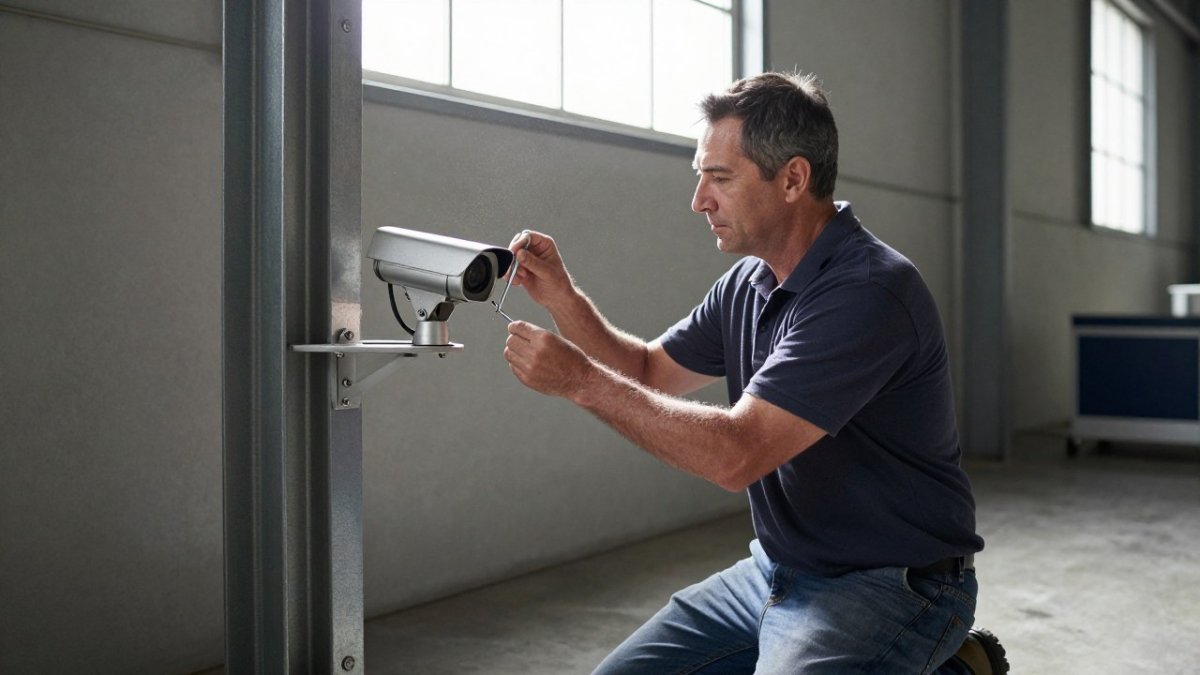
Check image quality, focus, and night view on each camera. Pass: faces and license plates are identifiable at the distances your policy requires, and infrared view is not washed out or dark.
Confirm camera coverage still matches the areas you need to watch. Pass: every required view, entries, cash areas, loading docks, and high-value storage, has a working camera with no new blind spots.
Verify recording retention matches your policy, often 30 days or more. Pass: the recorder shows the required retention window and a test export plays back correctly.
Batteries and backup power
Test the backup battery under load, not just at rest. Pass: voltage stays within the panel manufacturer's specified range during the load test and the panel reports no battery trouble.
Replace batteries that fail voltage tests or are past their rated life. Most sealed lead-acid backup batteries are rated for three to five years, and a battery that passes at rest can still fail under load.
Signal transmission and monitoring
Place the system in test mode with the monitoring center, then trip one zone. Pass: the center confirms receipt of the specific signal, not just that a call came in.
Confirm the panel's communication path, phone line, cellular module, or internet, is the primary path and that the backup path also reports. Pass: the center receives a test signal on each path.
Industry guidance commonly suggests testing the full system at least quarterly, with a complete professional inspection once a year. Systems in high-risk settings, such as jewelry stores or pharmacies, often need more frequent checks.
Watch out: a zone that trips on the panel but is not confirmed by the monitoring center is a failed test, even if the local siren sounds, the signal path, not the sensor, is the problem.
Testing Without Triggering an Emergency Response
Testing should never send police or fire crews to your building by accident. Before any test, call your monitoring company and place the system in test mode. Tell them the start time and expected finish time, and give them the account number and the zones you plan to trip. Afterward, confirm the system is back in normal mode and that the monitoring center is aware the test is complete.
The article breaks alarm testing into four areas, each with a concrete pass condition to record.
Area | Check | Pass condition |
Control panel | Arm and disarm with each user code | Keypad accepts code and logs correct user and time |
Sensors and contacts | Trip each door, window and motion zone | Correct zone name shown within a few seconds |
Cameras | Check image quality and night view | Faces and plates identifiable at required distances |
Camera retention | Verify recording retention | Recorder shows required window; test export plays back |
Batteries | Test backup battery under load | Voltage stays within manufacturer's specified range |
Signal transmission | Trip one zone in test mode | Monitoring center confirms receipt of the specific signal |
Commercial Fire Alarm Maintenance Checklist and Compliance Requirements
Fire alarm systems fall under stricter rules than security alarms.
Here is a general framework to discuss with your fire protection contractor.
Monthly: Visual check of panel status and trouble lights, with no testing of devices. Pass: panel shows normal, no trouble or supervisory signals, and the log entry is signed and dated.
Quarterly: Test manual pull stations and a sample of detectors, and confirm notification appliances sound in the tested areas. Pass: each tested device activates its zone and the audible and visual appliances operate.
Annually: Full inspection and testing of all devices, notification appliances, and the panel, including battery load testing and signal transmission to the monitoring center. Pass: every device tests correctly and the monitoring center confirms receipt.
Periodic battery replacement: Sealed lead-acid batteries are commonly replaced every three to five years, or sooner if a load test fails.
What audit-ready records look like
Fire marshals and insurers commonly ask for written records during inspections and audits, and a log that only says "tested" will not answer their questions.
Exit doors and egress hardware
Exit doors matter for compliance too. Panic hardware on emergency exits should work freely from the inside, and that is worth adding to your walk-through.
When a device fails
A failed device should be tagged, logged, and repaired or replaced before the system is returned to normal service.
Troubleshooting Common Alarm Faults
Most alarm problems fall into a few groups. Start with the simplest fix and work toward the complex ones.
Low battery trouble: Test the backup battery and replace it if voltage is low.
AC power loss: Check the breaker and the transformer. Confirm the outlet has power.
Zone fault: Inspect that zone's device for damage, dirt, or a loose wire.
Repeated false alarms: Look for drafts, pets, or direct sunlight on motion sensors.
Communication failure: Check the phone line, cellular module, or internet connection to the monitoring center.
If a fault repeats after a basic fix, call a licensed technician. Lock or safe problems tied to the alarm, such as a faulty lock mechanism on a secured room, should also go to a professional.
Building Your Alarm System Maintenance Log
A maintenance log proves your system gets tested. It also helps spot patterns, like one sensor failing every spring.
Include these fields for every entry:
Date and time of the test
Name of the person or company who performed it
Device or zone tested
Result: pass, fail, or repaired
Notes on any corrective action
Date of the next scheduled test
Keep the log with your building records and make a copy for your monitoring company. When a fault repeats, the log shows how long it has been happening.
Scheduling Your Next Alarm Inspection With Bay Safe and Lock
Regular testing keeps a commercial alarm system reliable, and a written schedule makes that testing consistent. Bay Safe and Lock is licensed, fully insured, and federal level 2 background checked, so you can hand off security work with confidence.
Ready to set your next inspection? Book a locksmith service with Bay Safe and Lock or request repair help for a faulty safe or lock to keep your property secure.
Bay Safe and Lock is a licensed, fully insured locksmith and security provider. Our technicians have over a decade of hands-on experience with commercial and residential systems.
Frequently Asked Questions
How often should a commercial alarm system be inspected and tested?
Most commercial alarm systems benefit from a quick monthly check by staff, covering the control panel, trouble lights, and a single sensor or door contact test. A licensed technician should perform a full inspection and test at least annually, with more frequent visits for high-risk sites or systems with frequent faults. Check your insurance policy and any local or state requirements, since some insurers and jurisdictions specify minimum intervals. Keep a dated record of every check so you can show compliance if questioned.
What should be included in a commercial alarm system maintenance checklist?
A solid checklist covers the control panel and arm/disarm functions, every intrusion sensor, door and window contact, and manual pull station, plus the backup battery condition and power supply. It should also confirm that alarm signals reach the monitoring center, review any trouble signals in the panel history, verify camera views and recording, and check that the authorized user and contact lists are current. Record the result of each item as pass or fail, with the date and the name of the person who performed the test.
How do you test a commercial alarm system without triggering an emergency response?
Notify your monitoring company before testing so they can place the system in test mode and avoid dispatching police or fire crews. Walk each zone, trigger each sensor, and confirm the panel displays the correct zone name. Confirm the test signal reached the monitoring center, then restore the system to normal mode and verify it has returned to armed or ready status. Always end the test by confirming with the monitoring center that the test is closed.
What maintenance records should a business keep for its alarm system?
Keep a maintenance log that records each inspection date, the tasks completed, pass or fail results, any faults found and how they were corrected, battery replacement dates, and software or firmware updates. Include service invoices and technician reports, and store copies of the monitoring contract and the authorized user list. Retain these records for the period your insurer or local authority requires, and keep them accessible for audits or insurance claims.
Comments