top of page

Table of Contents

  • Why Verify a Locksmith's License Before Hiring

  • How to Verify Locksmith License Through State Regulatory Boards

    • Finding Your State's Licensing Authority

    • Searching by Licensee Name and License Number

    • Checking Active Status and Disciplinary Records

  • Locksmith License Requirements by State

  • Questions to Ask a Locksmith Before Hiring

  • How to Spot a Locksmith Scam

  • What to Do If You Were Scammed by an Unlicensed Locksmith

  • Conclusion

  • Frequently Asked Questions

Last Updated: September 2, 2026

Why Verify a Locksmith's License Before Hiring

Hiring an unlicensed locksmith puts your property at serious risk. Beyond the security vulnerabilities, you're exposing yourself to liability, potential fraud, and work that won't hold up legally. An unlicensed operator may lack proper training, insurance, or accountability if something goes wrong.
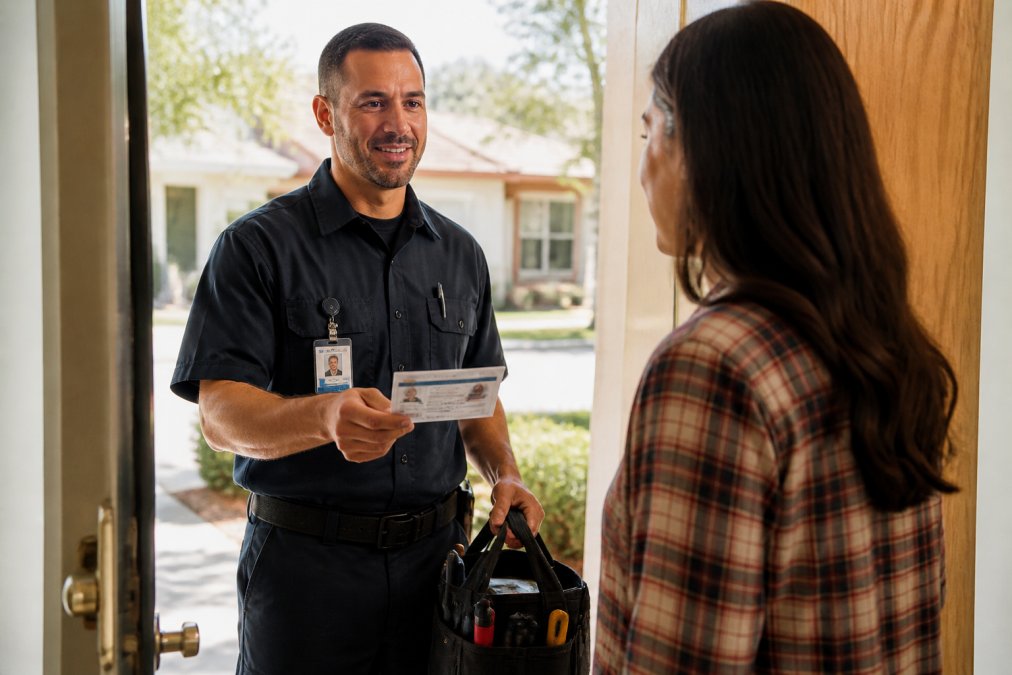
Step-by-step visual guide for Professional for verify locksmith license

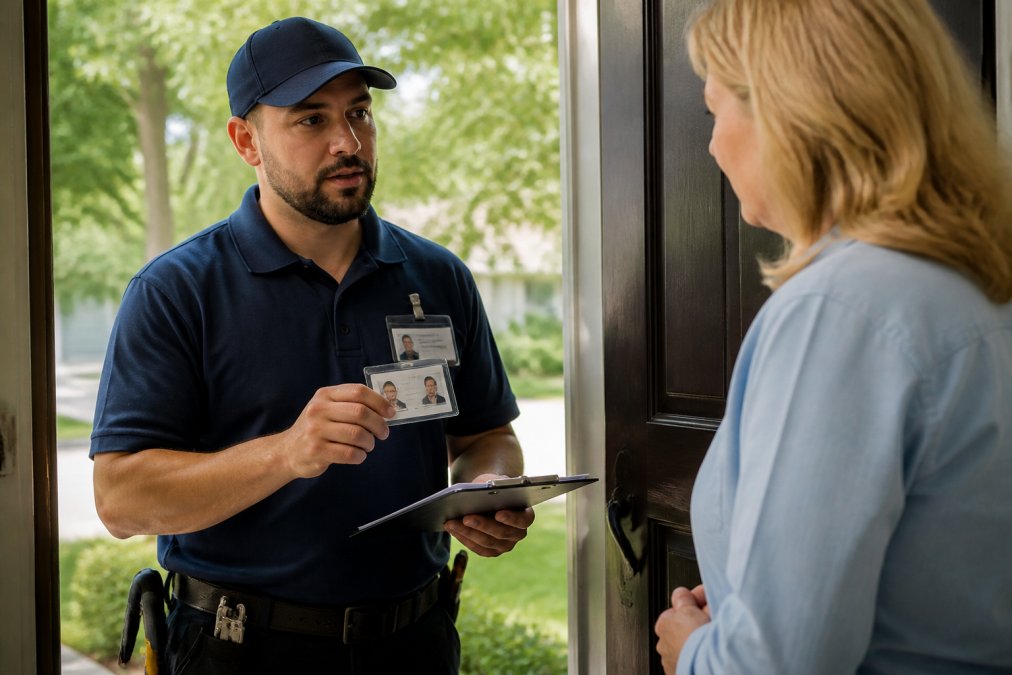
Professional license verification is your first line of defense. When you confirm that a locksmith holds a valid license issued by your state's regulatory board, you're verifying they've met minimum competency standards, passed background checks, and are subject to disciplinary action if they violate professional conduct rules. This is not optional due diligence, it's the difference between hiring a qualified professional and gambling with your security.

At Bay Safe and Lock, we understand why this matters. We're licensed and fully insured, with Federal level 2 background checks completed. Our credentials are verifiable, and we stand behind every job. But the same standard should apply to any locksmith you hire. This guide walks you through exactly how to verify a locksmith's credentials before you let them into your home or business.

How to Verify Locksmith License Through State Regulatory Boards

The process for verifying a locksmith's license varies significantly by state, but the fundamental steps remain consistent. You'll need to locate your state's licensing authority, understand what information you need to search, and know how to interpret the results.
Professional locksmith in uniform displaying credentials and identification badge to a homeowner at the front door during initial consultation

Finding Your State's Licensing Authority

Not all states regulate locksmiths the same way. Some states issue licenses through a dedicated locksmith board. Others fold locksmith licensing into a broader contractor or security services division. A few states don't require statewide licensing at all, though local municipalities may impose their own requirements.

To find your state's authority, start with your state's Secretary of State office website or the state's professional licensing division. Search for "locksmith license" or "security services licensing." Most state websites maintain a public search portal where you can look up active licenses. If your state doesn't have a centralized online database, contact your state's licensing board directly for guidance on how to verify credentials.

Once you've identified the correct agency, bookmark their licensee database. You'll use it to search for the locksmith's credentials before hiring them.

Searching by Licensee Name and License Number

When a locksmith provides you with their name and license number, use the state database to confirm both details match an active record. Enter the locksmith's full name exactly as it appears on their identification. If you only have a business name, search by that instead, most databases allow both individual and business searches.

The license number is your most precise search criterion. If the locksmith provides this upfront, use it. A valid license number should return a single matching record with the licensee's name, business address, and license issue and renewal dates. If the search returns no results, that's a red flag. Do not proceed.

Pay close attention to the license status. An active status means the license is current and in good standing. A suspended, expired, or revoked status means the locksmith is not legally authorized to perform locksmith services in your state. Some databases also show whether the license is restricted to certain types of work, for example, residential only, or excluding safe opening.

Checking Active Status and Disciplinary Records

Beyond confirming that a license is active, look for any disciplinary history. Most state databases include a section for disciplinary action or enforcement records. These entries document complaints, violations, or sanctions the licensing board has issued against the licensee.

A clean record with no disciplinary entries is what you want to see. If the database shows past violations, review the details. Minor infractions resolved years ago may be less concerning than recent complaints. However, patterns of complaints, multiple customers reporting similar issues, or repeated violations, suggest you should look elsewhere.

Some states also publish complaint information separately. If the main license database doesn't show disciplinary details, ask the licensing board directly whether they maintain a public complaint log. This transparency is part of consumer protection and helps you make an informed decision.

Locksmith License Requirements by State

Licensing requirements for locksmiths differ substantially across the United States. Some states have rigorous, multi-step certification processes. Others have minimal requirements. Understanding your state's standards helps you evaluate whether a locksmith's credentials are genuinely meaningful.

Other states require a background check as a condition of licensure. Federal level 2 background checks, which screen for criminal history and verify identity, are standard in many jurisdictions. Some states go further and require fingerprinting or checks against national databases of disciplinary actions in other states.

A few states, including some smaller or less-regulated jurisdictions, do not issue statewide locksmith licenses at all. In these areas, locksmiths may operate under general contractor licenses or security services permits. The absence of a dedicated locksmith license does not mean the locksmith is unqualified, but it does mean you have fewer official records to verify. In these cases, ask the locksmith for references, proof of insurance, and any certifications from professional organizations.

When you're evaluating a locksmith, ask directly about their license type and what requirements they had to meet to obtain it. A locksmith who can explain their state's licensing standards and their own qualifications is demonstrating professional knowledge.

Questions to Ask a Locksmith Before Hiring

Before you hand over a key or your security, ask these questions. A legitimate, licensed locksmith will answer them clearly and provide documentation.

Ask for their license number and the name of the state agency that issued it. A professional locksmith will have this information readily available and may even volunteer it upfront. Ask whether you can verify the license online, and if so, provide the specific web address or phone number for the state's licensing board. This shows confidence in their credentials.

Request proof of insurance. A licensed, professional locksmith carries liability insurance to protect you if something goes wrong during a job. Ask to see the current policy or a certificate of insurance. The policy should list locksmith services as a covered activity.

Ask about their experience. How long have they been in business? Have they worked on properties similar to yours? Request references from previous customers. A established locksmith should have multiple references willing to vouch for their work quality and professionalism.

Inquire about pricing and what's included. Ask for a written estimate before work begins. A transparent locksmith will explain their rate structure and any additional charges. Vague pricing or pressure to pay before completing the job is a warning sign.

Ask what happens if something goes wrong. Will they stand behind their work? Do they offer any warranty or guarantee? A professional locksmith takes responsibility for their installations and repairs.

Finally, ask whether they're bonded. A bonded locksmith has posted a financial bond with the state, which provides additional protection to customers if the locksmith fails to complete work or causes damage.

How to Spot a Locksmith Scam

Unlicensed or fraudulent locksmiths often operate with telltale red flags. Learning to recognize these signs protects you from overpaying, receiving poor-quality work, or worse, inviting someone into your home who has not undergone proper background check screening.

One of the most obvious red flags is a locksmith who cannot or will not provide a license number. If asked directly, they deflect, claim their license is "in the mail," or say they operate under a different business name, that's deception. Legitimate locksmiths have current licenses and are proud to share them.

Unlicensed locksmiths often advertise with vague business names designed to look generic or trustworthy, names that don't appear in any official database. They may use multiple phone numbers or names to create the illusion of a larger operation. They frequently advertise with extremely low prices to attract customers, then charge dramatically higher rates once they arrive and assess the job.

Watch for pressure tactics. A scammer will push you to pay upfront, demand cash only, or claim they need payment before starting work. Legitimate locksmiths typically charge after the job is complete. They'll provide written estimates and explain costs before proceeding.

Poor communication is another indicator. If a locksmith is evasive about their process, won't explain what they're doing, or discourages you from watching them work, that's suspicious. A professional locksmith is transparent and can explain their methods.

Finally, be cautious of locksmiths who suggest unnecessary work. If someone claims your locks are "compromised" and you need an entire system replacement when you only needed a rekeying, they're likely inflating costs. Get a second opinion from a licensed locksmith before authorizing expensive upgrades.

What to Do If You Were Scammed by an Unlicensed Locksmith

If you've already hired an unlicensed locksmith and believe you were overcharged, received substandard work, or experienced fraud, you have options.

First, document everything. Gather receipts, photos of the work, written estimates, and any communications with the locksmith. Note the date, time, and specific services performed. If the locksmith damaged your property or failed to complete work properly, photograph the damage and get written descriptions.

File a complaint with your state's licensing board. Even if the locksmith is unlicensed, the board may investigate and take action against them. Provide your documentation and a clear account of what happened. The board's enforcement division uses complaints to identify bad actors and protect future customers.

If you paid by credit card, contact your card issuer and dispute the charge. Explain that you received services from an unlicensed provider or that the work was not as promised. Many credit card companies will reverse fraudulent or disputed charges.

Consider filing a complaint with the Federal Trade Commission (FTC). The FTC tracks consumer complaints and uses them to identify patterns of fraud. Your report contributes to broader enforcement actions.

If the amount is significant, consult a local attorney about small claims court. Many jurisdictions allow consumers to sue for breach of contract or fraud in small claims court without needing a lawyer. You'll need your documentation to make your case.

Contact your local Better Business Bureau (BBB). File a complaint about the unlicensed locksmith. The BBB maintains records of complaints and may investigate. This creates a public record that warns other consumers.

Finally, hire a licensed locksmith to redo the work properly. While this is an additional expense, it ensures your security is actually restored. Proper installation and professional service give you the peace of mind your security deserves.

Conclusion

Verifying a locksmith's license before hiring is not just a smart precaution, it's essential due diligence for protecting your property and your wallet. The process is straightforward: find your state's licensing board, search the public database, confirm active status, and check for any disciplinary history. Ask questions, request documentation, and trust your instincts when something feels off.

A licensed, insured, and properly credentialed locksmith like Bay Safe and Lock brings accountability, professional standards, and genuine expertise to every job. We're transparent about our credentials, stand behind our work, and prioritize your security. When you hire a professional with verified credentials, you're not just getting a lock opened or installed, you're getting peace of mind that the work is done right and that you have recourse if anything goes wrong.

Don't let cost or convenience tempt you into hiring an unlicensed operator. The savings aren't worth the risk.

Verification Step

What to Check

Red Flag

License Database Search

License number matches active record

No results found or expired status

State Regulatory Board

Licensee name and business address

Cannot locate the board or database

Disciplinary Records

Clean history or minor resolved violations

Multiple recent complaints or pattern of violations

Insurance & Bonding

Current liability insurance and bond

Refuses to provide proof or claims not required

References

Previous customer feedback

Cannot or will not provide references

NEED AN ESTIMATE FOR YOUR PROJECT? Contact Bay Safe and Lock today. Our licensed, fully insured team brings over a decade of hands-on experience to residential, commercial, and industrial security solutions. From rekeying and master key systems to specialized safe opening and custom fabrication, we deliver the expertise and professionalism your property deserves. Learn more about professional locksmith licensing standards to understand what credentials matter. Report unlicensed locksmith activity to the FTC. Find your state's locksmith licensing board

Frequently Asked Questions

Q: How do I check if a locksmith is legit?

A: Start by verifying the locksmith's license through your state's regulatory board or licensing authority. Ask for their license number and professional credentials. Legitimate locksmiths carry identification, provide upfront pricing, carry liability insurance, and have verifiable business addresses. Check online reviews and ask for references. Never hire someone who pressures you into immediate payment or refuses to show credentials. A professional locksmith will answer your questions openly and provide proof of licensing without hesitation.

Q: Does a locksmith have to be licensed in every state?

A: Locksmith licensing requirements vary significantly by state. Some states mandate licensing, background checks, and formal training, while others have minimal or no licensing requirements. A few states allow locksmiths to operate without a state-issued license. This is why verifying credentials through your specific state's regulatory board is essential, what's required in one state may not apply in another. Always check your state's specific requirements before hiring, and ask the locksmith which regulations govern their practice.

Q: What should I look for when hiring a locksmith?

A: Beyond verifying their license, ask key questions: How long have they been in business? Do they carry liability insurance and bonding? What is their response time? Can they provide references? Request an estimate in writing before work begins. Verify their business registration and check for any disciplinary actions against their license. A trustworthy locksmith will have a physical business address, answer questions professionally, and never pressure you into immediate payment. Avoid anyone who cannot provide proof of licensing or who quotes prices significantly lower than competitors.

Q: What are red flags of an unlicensed locksmith?

A: Watch for these warning signs: they refuse to show a license or credentials, they have no verifiable business address or phone number, they quote extremely low prices, they demand payment upfront in cash only, they cannot provide references or insurance information, they rush you into a decision, or they lack professional identification. Unlicensed locksmiths often operate from personal vehicles without business registration. If a locksmith cannot or will not verify their credentials through your state's regulatory board, do not hire them. Trust your instincts, legitimate professionals have nothing to hide.

NEED AN ESTIMATE FOR YOUR PROJECT? CLICK HERE

This article was written using GrandRanker


Table of Contents

  • Why Access Control Matters in Healthcare Settings

  • Physical vs. Digital Access Control Systems

  • HIPAA Compliant Access Control Systems

  • Hospital Visitor Management Software and Workflows

  • Role-Based Access Control and Credentialing

  • Access Control Audit Logs for Healthcare Compliance

  • Implementation Steps for Medical Facility Access Control

  • Emergency Lockdown and Incident Response Protocols

  • Frequently Asked Questions

Last Updated: September 1, 2026

Why Access Control Matters in Healthcare Settings

Access control in medical facilities is a foundational security requirement that directly impacts patient safety, staff protection, and regulatory compliance. Healthcare environments house sensitive patient information, controlled medications, and critical equipment. Without proper access control, unauthorized individuals could reach medication storage, intensive care units, or server rooms containing electronic medical records.

A breach could compromise patient outcomes, create legal liability, and damage organizational reputation.

Physical vs. Digital Access Control Systems

Most modern healthcare facilities use a hybrid approach combining physical and digital systems.

Physical access control uses mechanical locks, keys, and physical barriers. These systems are reliable and function without network connectivity, making them valuable during infrastructure downtime.

Digital access control systems integrate electronic locks, credential readers, and centralized management software. They track access, generate audit trails, and allow instant remote credential revocation. When employment ends, you can revoke access across multiple entry points immediately rather than physically changing locks.

Digital systems excel at scale. Managing 50 entry points across multiple buildings becomes impractical with manual rekeying. Digital systems let you adjust permissions from a central dashboard. If a staff member transfers departments, their badge automatically loses old access and gains new access.

Physical systems excel at simplicity and resilience. They don't require batteries, updates, or connectivity. Many facilities keep mechanical backups on critical doors for emergencies when power is lost.

Your access control strategy should match your threat model and operational reality. A small clinic with 20 employees and three restricted areas might not need a full digital system. A 400-bed hospital with multiple buildings and complex credentialing absolutely needs digital infrastructure.

HIPAA Compliant Access Control Systems

HIPAA compliance is a regulatory requirement with real penalties for violations. The Health Insurance Portability and Accountability Act requires the "minimum necessary" principle: individuals should access only information and areas necessary for their role. A billing employee shouldn't access medical records. A phlebotomist shouldn't enter the pharmacy.

ROSSLARE INDIA

HIPAA specifically requires "access management," which includes:

  • Restricting entry to areas containing protected health information

  • Tracking who accessed these areas and when

  • Generating audit logs demonstrating compliance during regulatory reviews

  • Allowing rapid access revocation when staff leave or change roles

A HIPAA-compliant system typically includes role-based access control (RBAC), which assigns permissions based on job function. A nurse in the ICU gets access to the ICU, medication storage for that unit, and the patient records station, but not the pediatric ward or psychiatric unit.

Audit trail documentation is critical. You must prove that only credentialed staff accessed restricted areas and have timestamps for each access. If medication discrepancies occur, you can identify exactly who accessed that area during the relevant time window.

A common mistake: facilities implement digital access control but don't maintain audit logs properly. HIPAA requires retention and auditors will request review. If your system generates logs but you're not archiving or reviewing them, you lack actual compliance.

Hospital Visitor Management Software and Workflows

Visitor access represents a significant security gap. Patients have legitimate visitors, but uncontrolled visitor movement compromises security. Visitor management software creates structured check-in processes where visitors register, receive temporary credentials granting access only to specific areas for limited time.

The workflow: A visitor arrives and staff verify identity and the patient they're visiting. The system generates a temporary badge expiring at set time (usually end of visiting hours). The badge opens only the elevator to the correct floor and the specific patient room, not medication storage or staff areas.

This approach prevents unauthorized access claims, creates visitor records, limits physical area access, and ensures temporary credentials become useless after departure. Digital systems process visitors faster than manual logbooks, reduce data entry errors, and create searchable records. Facility managers can pull reports showing all visitors to a specific patient or all access to an area during a time window.

Role-Based Access Control and Credentialing

Role-based access control (RBAC) drives effective access management. Instead of giving individuals keys opening everything, you define roles (nurse, physician, pharmacist, custodial staff, administrator) and assign access permissions to those roles.

When a new nurse is hired, they're assigned the "Nurse" role, automatically granting access to patient care areas, medication storage for their unit, and records stations. When they transfer units, their role changes and access updates accordingly. When they leave, their role is deactivated and all access revokes instantly.

Credentialing verifies that someone is qualified to hold a particular role. Before assigning "Pharmacist," you verify pharmacy licensure. Before "Physician," you verify medical licensure and hospital privileges. Before "Clinical Laboratory Director," you verify certification.

Integration between credentialing and access control is critical. If a pharmacist's license expires or is revoked, their pharmacy access should automatically restrict. If a physician's privileges are suspended, their area access should limit. Modern systems automate this: credentialing software connects to access control systems, and permission changes happen in real time.

A practical implementation defines access levels by role:

  • Level 1 (General Access): Public areas, waiting rooms, corridors

  • Level 2 (Clinical Access): Patient care areas, unit medication storage

  • Level 3 (Restricted Access): Pharmacy, laboratory, imaging, surgical suites

  • Level 4 (Administrative Access): Medical records, IT infrastructure, secure storage

Each role maps to appropriate access levels. Housekeeping might have Level 1 and 2 access. Anesthesiologists might have Level 2 and 3. IT administrators might have Level 4 only.

Access Control Audit Logs for Healthcare Compliance

Audit logs prove your access control system is working and provide primary evidence for regulatory review. A typical entry records: who accessed what (which credential), where (which door), when (timestamp), and whether access was granted or denied.

These logs serve operational and compliance purposes. Operationally, they help managers understand access patterns and identify issues. If a badge is used in two locations simultaneously, that's impossible and suggests a stolen badge or system error. If access attempts spike at unusual hours, that might indicate problems.

Compliance-wise, audit logs demonstrate controlled access as required. During HIPAA audits, regulators review logs showing who accessed areas containing patient information. Your logs should show access restricted to authorized personnel.

Effective audit log management involves:

  • Retention: Storing logs for periods required by regulation (typically years)

  • Review: Regularly examining logs for anomalies or suspicious patterns

  • Response: Acting on findings and documenting responses

  • Reporting: Generating compliance reports demonstrating access control effectiveness

Many facilities use centralized dashboards aggregating logs from all access points and flagging anomalies automatically. A dashboard might alert you if a badge is used in multiple locations within impossible timeframes, or if access attempts spike during off-hours, or if a credential is used after deactivation.

Implementation Steps for Medical Facility Access Control

Implementing access control requires careful planning. A poorly planned rollout can disrupt operations and undermine confidence. Here's a practical approach:

Step 1: Assess Your Current State (2-4 weeks)

Map every restricted area. Document which staff roles need access to which areas. Identify current access methods. Interview facility managers, security staff, and department heads about pain points: slow visitor check-in, lost keys, difficulty managing access when staff leave, audit trail gaps.

Step 2: Define Your Access Control Strategy (1-2 weeks)

Determine which areas need digital control and which can remain physical. Define your role structure and what access each role should have. Create an access matrix showing which roles access which areas. Decide on credential methods: card badges, biometric, PIN codes, or combinations.

Step 3: Select Your System (2-4 weeks)

Evaluate systems integrating with your existing infrastructure. Your choice should support your access matrix, generate HIPAA-compliant audit logs, and integrate with your credentialing database. Choose based on total cost of ownership, not just initial cost.

Step 4: Plan Your Rollout (2-3 weeks)

Don't implement facility-wide simultaneously. Choose a pilot area, perhaps a single unit or building. Implement there first, work out operational issues, train staff, and refine processes. Run your old access method in parallel with the new system as a safety net.

Step 5: Install Hardware and Configure Software (2-6 weeks)

Install card readers, biometric scanners, or other hardware at entry points. Configure software with your access matrix. Set up temporary visitor credentials. Test thoroughly before going live.

Healthcare administrator reviewing access control credentials at a secure entry point with biometric scanner and badge reader installed on a modern hospital door, natural lighting from adjacent windows

Step 6: Train Staff (Ongoing)

Staff training is critical to successful implementation. Train staff on credential use, visitor check-in procedures, lockout procedures, reporting security concerns, and privacy requirements around audit logs. Training should be role-specific.

Step 7: Monitor and Refine (Ongoing)

Review audit logs regularly. Track which doors experience most access denials, indicating configuration errors or hardware problems. Gather staff feedback about usability and operational impact. Adjust permissions if workflows are disrupted.

Emergency Lockdown and Incident Response Protocols

An access control system's value extends beyond routine security into emergency response. During critical incidents, your access control infrastructure becomes a tool for protecting lives.

Emergency lockdown protocols rapidly restrict movement within the facility. If a threat is identified in one area, you can lock down that area, preventing spread while allowing staff to move people to safety.

A well-designed emergency lockdown system includes:

Rapid Activation: Staff can trigger lockdown from multiple locations, security stations, administrative offices, or mobile devices. Activation should be instant.

Graduated Response: Not every emergency requires full facility lockdown. Your system should support area-specific lockdowns. If a threat is in the emergency department, lock down the ED while other areas remain operational.

Clear Communication: When lockdown is triggered, staff need immediate notification. Your system should integrate with facility communication infrastructure: overhead paging, text alerts, email notifications.

Documented Procedures: Your lockdown protocol should be written, practiced, and understood by all staff. Who can trigger lockdown? What happens when triggered? How do staff move patients to safety? How is lockdown ended?

Hardware Redundancy: Access control hardware should have backup power. If a door's electronic lock loses power during emergency, it should default to a safe state, typically unlocked for egress.

Security personnel monitoring a unified access control dashboard on multiple screens showing real-time facility entry points and restricted zone status in a control room with dim ambient lighting

Integration with Emergency Services: Your system should allow law enforcement and emergency responders rapid facility access. Some systems allow responders to override access restrictions at specific doors or allow staff to remotely unlock doors for first responders.

After an incident, audit logs become critical evidence. You can review exactly who was in which areas during the incident, trace threat paths through the facility, and identify unauthorized access. This information helps investigation, after-action review, and prevention.

Many facilities practice lockdown drills quarterly or semi-annually. These drills test staff understanding, system functionality, and communication clarity. Drills often reveal gaps: doors that don't lock properly, staff confusion about roles, communication gaps.

Access control for medical facilities ultimately creates an environment where patients receive care safely, staff work confidently, and sensitive information and materials are protected. The technical components are tools serving this larger purpose.

Implementation requires planning, appropriate technology, and ongoing management.

At Bay Safe and Lock, we've worked with healthcare facilities to design and implement access control systems balancing security with operational efficiency. Our team understands healthcare's unique challenges: rapid visitor processing, credentialing complexity, HIPAA compliance demands, and emergency response requirements. We help facilities assess current state, define access strategy, select appropriate technology, and implement systems that work in practice.

If you're managing a medical facility and need to strengthen access control infrastructure, we can help you evaluate options and design tailored solutions. The Department of Health and Human Services provides guidance on HIPAA security requirements. The Joint Commission's standards for hospital security provide additional requirements for accredited facilities. NIST's cybersecurity framework offers guidance on integrating physical and cybersecurity measures.

NEED AN ESTIMATE FOR YOUR PROJECT? CLICK HERE

Implementation Phase

Duration

Key Activities

Current State Assessment

2-4 weeks

Map restricted areas, document access methods, identify pain points

Strategy Definition

1-2 weeks

Define roles, create access matrix, select credential method

System Selection

2-4 weeks

Evaluate options, assess integration capabilities, compare features

Rollout Planning

2-3 weeks

Choose pilot area, plan parallel operation, schedule phases

Hardware Installation

2-6 weeks

Install readers, configure software, test thoroughly

Staff Training

Ongoing

Role-specific training, visitor procedures, emergency protocols

Monitoring & Refinement

Ongoing

Review logs, gather feedback, adjust permissions as needed

Frequently Asked Questions

What are the main types of access control systems used in healthcare?

Healthcare facilities typically use four types: discretionary access control (DAC), role-based access control (RBAC), attribute-based access control (ABAC), and rule-based access control. RBAC is most common in hospitals because it ties permissions to job titles, nurses, physicians, and administrative staff each get different access levels. Biometric authentication, multi-factor authentication, and keyless entry systems often layer on top of these frameworks to strengthen physical security.

How do HIPAA compliant access control systems protect patient privacy?

HIPAA compliant access control systems enforce the minimum necessary principle by restricting who can enter areas containing electronic medical records, imaging files, and patient information. They use identity management and role-based permissions so only authorized staff access sensitive data. Audit trails document every access event, creating accountability. 42 CFR Part 2 adds extra requirements for substance abuse treatment records, requiring separate access restrictions and monitoring.

What should a hospital visitor management software system track?

Hospital visitor management software should log visitor identity, arrival and departure times, areas visited, and which staff member sponsored the visit. This creates an audit trail for security investigations and helps facilities respond quickly to incidents. The system should integrate with your access control infrastructure so visitors receive temporary credentials, either physical badges or digital permissions, that expire automatically. This prevents unauthorized lingering in restricted zones.

Why are access control audit logs critical for healthcare compliance?

Access control audit logs for healthcare create an immutable record of who entered restricted areas and when. Regulators and auditors use these logs to verify compliance with HIPAA, 42 CFR Part 2, and state privacy laws. If a breach occurs, logs help identify who had access to compromised data. They also catch insider threats, unusual access patterns or after-hours entries to areas outside someone's normal role trigger alerts.

How do you balance security with emergency egress in a medical facility?

Emergency egress requires that all exits remain passable during lockdowns. Access control systems must allow staff to push emergency exit bars without credential verification to evacuate patients and staff. However, doors can remain electronically locked from the outside, preventing unauthorized entry. Time-sensitive access rules can automatically unlock certain doors during fire alarms or active threat alerts, ensuring rapid evacuation while maintaining perimeter security when normal conditions return.

What's the difference between physical and digital access control for medical facilities?

Physical access control uses locks, keys, and badges to manage entry to doors and zones. Digital access control uses electronic systems, keyless entry, biometric readers, credential verification, that log every access event. Most modern medical facilities combine both: physical locks on sensitive areas with digital oversight. Digital systems offer better audit trails and faster credential revocation if staff leave, while physical locks provide backup during power outages or system failures.

How can small clinics implement access control cost-effectively?

Small clinics can start with role-based access control on a modest scale: restrict pharmacy and records areas with electronic locks tied to staff badges, install audit logging software, and use visitor badges for temporary access. Prioritize securing areas that hold controlled substances, patient records, and medical devices. Many clinics begin with one or two restricted zones rather than facility-wide coverage, then expand as budget allows. Cloud-based visitor management software often costs less than on-premise systems for smaller operations.

NEED AN ESTIMATE FOR YOUR PROJECT? CLICK HERE

This article was written using GrandRanker


Table of Contents

  • What Is a Master Key System and How It Works

  • Cost of Master Key System Installation

    • Typical Installation Cost Ranges

    • Itemized Cost Components

    • Cost Variations by System Complexity

    • Geographic and Market Factors

  • Rekeying vs. Replacing Master Key Systems

  • Benefits of Restricted Key Systems

  • Commercial Locksmith Service Pricing and Scope

  • Total Cost of Ownership Over 5-10 Years

  • Security Risks and Vulnerability Assessment

  • Frequently Asked Questions

Last Updated: September 1, 2026

What Is a Master Key System and How It Works

A master key system is a hierarchical access control method where one key (the master key) opens multiple locks, while individual change keys open only their designated locks. This structure creates multiple tiers of access, allowing facility managers to control who can enter specific areas while maintaining a single override key for emergencies or administrative access.

The system works through pin-tumbler lock mechanics. A standard lock contains five or six pins of varying heights (peer-reviewed research). In a master key system, each pin is split into two segments, creating additional shear lines. This design allows both the change key and the master key to align all pins at the correct shear line, but only the master key aligns the additional shear lines created by the split pins.

For example, a property manager might hold the grand master key that opens every unit in an apartment complex, while individual residents hold change keys that open only their own doors. Maintenance staff might carry a master key that opens common areas and utility rooms but not residential units. This tiered hierarchy provides flexibility without compromising security.

The cost of master key system implementation depends on the number of locks being keyed, the complexity of the access hierarchy, and whether you're retrofitting existing locks or installing new hardware. Understanding these factors helps property owners and facility managers budget appropriately for security upgrades.

Bay Safe and Lock provides comprehensive locksmith and security solutions to design and install master key systems tailored to specific access needs. Our team understands the balance between convenience and security that makes these systems valuable for multi-unit properties and commercial facilities.

Cost of Master Key System Installation

The cost of master key system installation varies significantly based on property size, existing hardware condition, and the complexity of your access hierarchy. However, understanding the typical cost breakdown helps property owners and facility managers budget accurately.

Typical Installation Cost Ranges

For a small residential property (5-10 locks), expect installation costs to vary. A mid-sized apartment complex (20-50 units) will also have varying costs, while large commercial facilities (100+ locks with multi-tier hierarchies) can be a significant investment.

These ranges assume professional locksmith labor. Labor typically accounts for a significant portion of the total installation cost, with materials making up the remainder.

Itemized Cost Components

Locksmith labor is a major expense. A typical installation involves:

  • Initial security assessment and system design

  • Lock rekeying or cylinder installation

  • Master key and change key cutting

  • System testing and documentation

Materials include:

  • Rekeying services (if using existing locks)

  • New lock cylinders (if replacement needed)

  • Master key blanks and change keys

  • Hardware modifications, strike plates, or reinforcement as needed

  • Restricted keyway blanks (if applicable)

System design and consultation may be charged separately by some locksmiths for a detailed access hierarchy plan, especially for complex multi-building or multi-tier systems.

Cost Variations by System Complexity

A simple two-tier system (one master key and individual change keys) costs considerably less than a four-tier system with grand master keys, master keys, sub-master keys, and change keys. Each additional tier requires more complex pin configurations and typically adds to material and labor costs.

Lock condition significantly affects pricing. High-quality pin-tumbler cylinders compatible with master key specifications can be rekeyed economically. Budget-grade locks or incompatible hardware require full cylinder replacement, which increases the per-lock cost. Worn or damaged locks may also require strike plate adjustment or door frame reinforcement.

The keyway you choose also affects pricing. Standard keyways are the least expensive option but offer no protection against unauthorized key copying. Restricted keyways, which use proprietary key blanks that only authorized locksmiths can duplicate, add to material costs and typically require a one-time fee to register your system with the manufacturer.

Geographic and Market Factors

Locksmith rates can vary by region. The complexity of your facility layout also matters; a building with numerous interior doors, multiple access zones, and restricted areas requires more detailed planning and installation time than a simple residential setup, potentially adding to labor costs.

Seasonal demand and locksmith availability can also influence pricing. Emergency or rush installation requests typically incur a surcharge. Scheduling installation during off-peak times (weekdays, non-holiday periods) often results in better pricing.

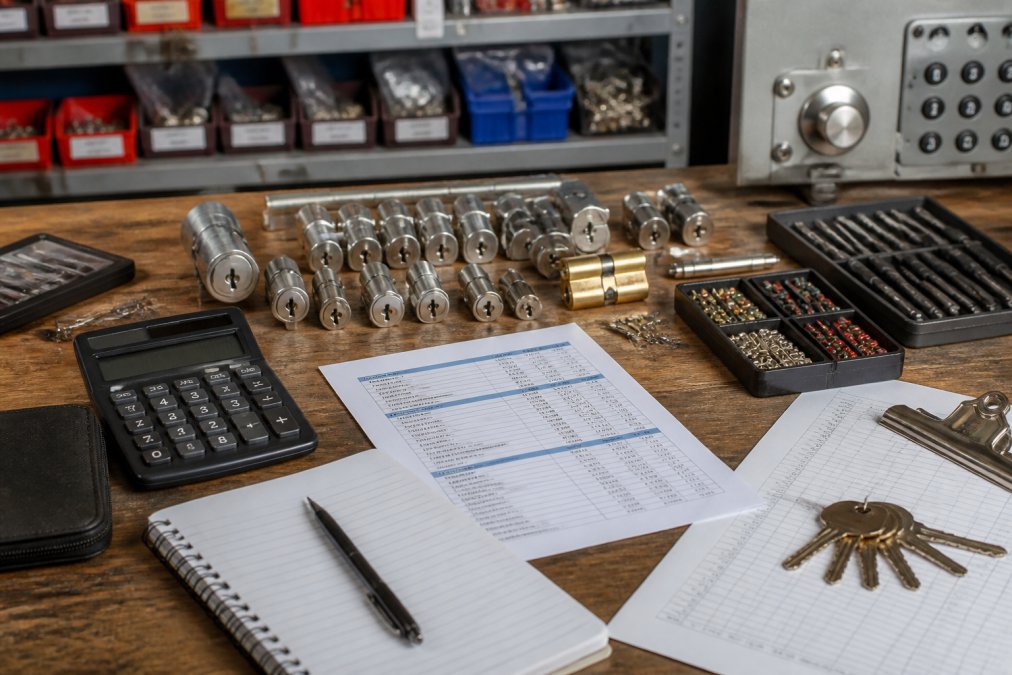
Locksmith workbench with master key system components including cylinders, key blanks, pin stacks, and bitting tools, with a cost estimate sheet visible, professional workshop lighting

Rekeying vs. Replacing Master Key Systems

Rekeying involves removing the existing cylinder from a lock and altering the internal pin configuration to match your new master key system. Replacement means installing entirely new lock hardware. For most property owners, rekeying existing quality locks is the more economical choice when the locks are mechanically sound and compatible with master key specifications.

Rekeying preserves your existing door hardware, frames, and strike plates. If your locks are from reputable manufacturers and the cylinders are in good condition, rekeying them to work with a master key system makes financial sense. The locksmith removes the cylinder, reconfigures the pins to match your key code, and reinstalls it. This process typically takes a short amount of time per lock.

Replacement becomes necessary when locks are damaged, the wrong type for master key configuration, or when you want to upgrade to higher-security options like restricted keyways or anti-pick cylinders. Replacement involves removing the entire lock assembly and installing new hardware, which takes longer and costs more but provides the opportunity to upgrade your security infrastructure.

Close-up of pin-tumbler lock components and key blanks arranged on a workbench, showing internal lock mechanics and master key system bitting patterns, natural workshop lighting

The decision between rekeying and replacement should account for the age and quality of your existing locks. Budget-grade locks may not be worth rekeying; investing in new hardware with modern security features often provides better long-term value. Bay Safe and Lock evaluates your existing hardware during a security assessment to recommend the most cost-effective approach for your situation.

Benefits of Restricted Key Systems

Restricted key systems prevent unauthorized duplication by using proprietary key blanks that standard key-cutting machines cannot reproduce. Only authorized locksmiths with access to the correct blank stock can duplicate these keys, dramatically reducing the risk of unauthorized copies circulating.

This security feature matters most in facilities where access control is critical, such as medical centers, government buildings, financial institutions, and secure storage facilities. If a restricted key is lost or stolen, you have assurance that someone cannot simply walk into a hardware store and create a copy. The restricted keyway creates a documented chain of custody for all keys in the system.

The trade-off is convenience and cost. Restricted key blanks cost more than standard blanks, and key duplication requires contacting an authorized locksmith rather than using a quick-copy service. For properties where security is paramount and the number of keys needed is manageable, this trade-off is worthwhile. For smaller residential properties with lower security requirements, the added expense may not justify the benefits.

Implementing restricted keyways requires planning during initial system design. You cannot easily retrofit a restricted keyway into an existing standard system without replacing all affected cylinders and hardware. This is another reason to work with an experienced locksmith during the planning phase. Bay Safe and Lock can help you determine whether restricted keyways make sense for your specific security needs and budget.

Commercial Locksmith Service Pricing and Scope

Professional locksmith services for master key systems typically include an initial security assessment, system design, installation, and follow-up key management support. The assessment phase involves evaluating your facility layout, identifying all access points, and understanding your security requirements. This consultation helps determine the appropriate tier complexity and hardware specifications.

Commercial locksmiths charge for labor, materials, and expertise. Labor rates vary by market and the technician's experience level, but expect to pay for the time spent on assessment, installation, and testing. Material costs include the cylinders, keys, hardware, and any specialized components your system requires.

Many commercial locksmith firms offer ongoing key management services, tracking key distribution, managing replacements, and conducting periodic security audits. These services add to the initial installation cost but provide valuable documentation and control over your access system. Facilities with high employee turnover or complex access requirements benefit significantly from professional key management support.

When evaluating locksmith quotes, ensure the proposal includes specific details: the number of locks, the tier structure, material specifications, labor hours, and any warranty or follow-up service. A comprehensive quote allows you to compare pricing fairly across providers and understand exactly what you're paying for.

Total Cost of Ownership Over 5-10 Years

The true cost of a master key system extends well beyond initial installation. Over a 5-10 year period, you'll incur costs for key replacement, lock maintenance, rekeying when staff changes require access modifications, and potential hardware repairs or upgrades.

Key replacement represents an ongoing expense. When employees leave, you may need to rekey affected locks to prevent unauthorized access with their old keys. In a large facility with significant turnover, these rekeying costs accumulate quickly. A master key system that allows you to rekey specific zones without affecting the entire facility reduces this expense compared to managing individual locks.

Lock maintenance and repair costs depend on usage and environmental factors. Commercial doors with heavy traffic experience more wear on cylinders and hardware than residential doors (nist.gov). Regular maintenance, lubricating cylinders, checking for wear, and replacing damaged components, extends the life of your system and prevents costly emergency lockouts.

Hardware upgrades may become necessary as security standards evolve or your facility's needs change. A well-designed master key system accommodates expansion; adding new locks to the system costs less than retrofitting an entirely new security infrastructure. This scalability is a significant advantage over ad-hoc security implementations.

When evaluating the cost of master key system options, calculate the total five-year cost including initial installation, estimated annual maintenance and key replacement, and any planned upgrades or expansions. This comprehensive view helps you choose a system that balances upfront investment with long-term operational costs.

Security Risks and Vulnerability Assessment

Master key systems introduce security vulnerabilities that don't exist with individual locks. If a master key is lost or stolen, every lock in the system is potentially compromised. This risk requires careful key management practices and immediate rekeying if a master key goes missing.

Lost change keys present a different concern. If a resident or employee loses their key, an unauthorized person could potentially find it and gain access. Many facilities require immediate rekeying of the affected lock when a key is reported missing, adding to operational costs but preventing security breaches.

The split-pin design that enables master key functionality creates additional shear lines that some security professionals argue make the locks more vulnerable to picking or bumping attacks compared to standard locks (nist.gov). High-security cylinders with anti-pick and anti-bump features mitigate this risk but increase hardware costs.

Key duplication represents a significant vulnerability in systems using standard keyways. Any employee or resident can take their key to a hardware store and have copies made without authorization. This is why restricted keyways exist, but they require ongoing discipline to prevent unauthorized duplication attempts. Even with restricted keyways, social engineering or theft of blank stock can compromise the system.

A professional security audit evaluates your specific vulnerabilities and recommends controls to minimize risk. This might include restricted keyways, limited key distribution, documented key tracking, periodic rekeying schedules, and access control upgrades. Bay Safe and Lock conducts security assessments that identify vulnerabilities in your current system and recommend cost-effective improvements.

The cost of master key system implementation depends on your facility size, access requirements, and security priorities. Initial installation costs vary widely, but the real investment lies in proper planning and professional installation that accounts for your long-term operational needs. A well-designed system reduces administrative overhead through simplified key management while maintaining security through access hierarchy and control.

NEED AN ESTIMATE FOR YOUR PROJECT? Bay Safe and Lock provides comprehensive security assessments and custom master key system design. Our licensed, fully insured team evaluates your facility, recommends the most cost-effective solution, and handles professional installation with ongoing key management support. Contact us for a detailed quote tailored to your property's specific requirements.

Frequently Asked Questions

Q: How much does a master key system cost to install?

A: The cost of master key system installation depends on the number of doors, lock hardware type, labor rates, and whether you're installing a new system or rekeying existing locks. Residential installations typically involve fewer access points than commercial properties, affecting total expense. For an accurate quote tailored to your property's specific needs, contact a licensed locksmith who can assess your access control requirements and provide a detailed estimate.

Q: What factors influence the price of a master key installation?

A: Key cost drivers include the number of doors and locks in your system, the complexity of your key hierarchy (whether you need grand master keys or multiple master levels), lock hardware quality and type, cylinder replacement versus rekeying labor, the use of restricted keyways to prevent unauthorized duplication, and your locksmith's service rates. Larger facilities with complex access control needs typically face higher installation costs than single-unit residential properties.

Q: Is it more expensive to rekey or replace a master key system?

A: Rekeying existing locks is generally less expensive than replacing the entire lock hardware. Rekeying involves changing the internal pin-tumbler configuration so existing locks work with new keys, preserving the hardware. Replacement means installing new lock cylinders and hardware throughout. However, if your current locks are damaged, incompatible with a master key hierarchy, or use non-restricted keyways, replacement may be the better long-term investment despite higher upfront costs.

Q: Do master key systems require ongoing maintenance costs?

A: Yes, master key systems require periodic maintenance and management. Costs include lock servicing, key replacement or duplication, security audits to prevent unauthorized key copying, cylinder cleaning and lubrication, and potential rekeying if keys are lost or staff turnover occurs. Restricted key systems add compliance oversight to ensure only authorized personnel can duplicate keys. Budgeting for annual maintenance prevents security vulnerabilities and extends the life of your hardware.

NEED AN ESTIMATE FOR YOUR PROJECT? CLICK HERE

This article was written using GrandRanker


Rosemary M.

Dan from Bay Safe - great worker, highly professional and super intelligent!!!

Adam G.

Had my safe opened and repaired in no time flat. Very satisfied with their professionalism.

Anthony R.

I can tell you've been doing this for a long time.
Bay Safe & Lock QR code

        Hello, from Bay Safe & Lock

My wife, Hayley and daughters, Jane and Eden. Our faith and values inspire a strong desire to serve others with excellence. A daily prayer in our home is that the Lord would bless us with grace, success and prosperity in direct proportion to our integrity. 

Colossians 3:23

bottom of page